

Operating a multi-brand e-commerce business on Magento 2 requires a delicate balance between distinct brand identities and unified operational efficiency. While a single organization may oversee multiple labels, the complexity of managing segregated catalogs, unique brand narratives, and varied customer expectations often strains standard retail configurations. The primary challenge is preventing a “generic warehouse” feel; each brand must resonate as a specialist entity while the backend remains streamlined and scalable.
To achieve this, merchants must move beyond default settings. Strategic integration is essential to automate brand-specific tasks—from metadata generation to custom reporting—that otherwise become manual bottlenecks. This guide outlines the critical extensions for Magento 2 that transform a standard Magento installation into a high-performing multi-brand ecosystem, ensuring both frontend brand immersion and backend technical excellence.
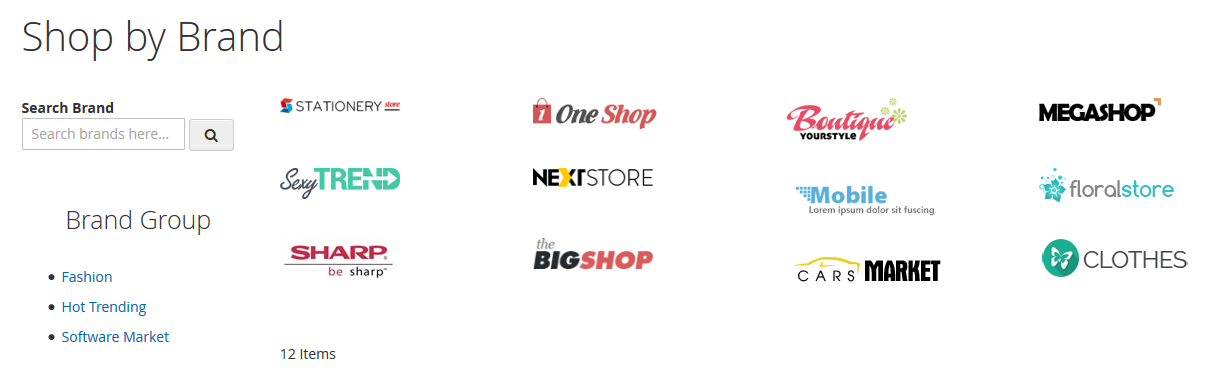
The Shop by Brand extension is the foundational pillar for any multi-brand strategy. In a default Magento setup, “Brand” is often just a text attribute. This extension elevates that attribute into a dynamic entity.
Customers often approach shopping with brand loyalty. A dedicated brand extension allows you to create high-value landing pages for each brand you carry. These pages act as mini-homepages, complete with unique banners, descriptions, and SEO-friendly URLs. This is crucial for establishing the “shop-in-shop” feel that modern consumers expect.
Key Features:
Business Benefit: By providing dedicated brand real estate, you enhance the user experience and significantly boost SEO. Brand-specific landing pages often rank for high-intent keywords (e.g., “$Brand Name$ official retailer”), driving organic traffic that is highly likely to convert.
In a multi-brand store, the sheer volume of products can be overwhelming. Standard Magento filtering is often too rigid for complex catalogs.
Advanced layered navigation allows customers to slice through thousands of SKUs to find exactly what they need based on brand-specific criteria. If a customer is looking for a “Red Jacket” from “Brand A” under “$100,” the interface must respond instantly and intuitively.
Key Features:
Business Benefit: Frictionless discovery reduces bounce rates. When customers can find products in two clicks instead of ten, conversion rates naturally climb.
Magento 2 Multiple Store View extensions handle the granular localization and content management required to make each brand or region feel native.
Magento’s native store view functionality can be limited, especially when trying to set unique prices or metadata at the view level. These extensions unlock advanced management capabilities, allowing you to run a truly international, multi-brand operation without needing a separate Magento installation for every language.
Key Features:
Business Benefit: By tailoring the pricing and SEO metadata to specific regions and languages, you increase local trust and organic visibility. It allows for hyper-local marketing strategies within a unified multi-brand infrastructure.
To implement advanced regional pricing strategies at scale, many merchants turn to top Magento 2 extensions for regional pricing rules that automate localized price adjustments based on store view, currency, or customer group.
For companies running multiple distinct brand websites on a single Magento instance, the Store Switcher is a critical technical bridge.
If you own three brands—let’s call them “Luxury Watches,” “Sport Chronos,” and “Vintage Timepieces”—you likely have three different domains. A Store Switcher ensures that a user landing on sportchronos.com sees the correct theme, currency, and product set automatically.
Key Features:
Business Benefit: This improves brand recognition. It prevents “brand bleed,” where a customer might get confused by seeing products or styling from a sister brand that doesn’t match their current shopping intent.
Efficiency in a multi-brand environment is won or lost in the spreadsheet. Managing 50,000 products across 10 brands manually is impossible.
Scaling a multi-brand store requires the ability to move data in bulk. Whether you are onboarding a new brand partner or updating seasonal pricing, you need a robust way to handle data.
Key Features:
Business Benefit: This saves hundreds of administrative hours and drastically reduces human error, which is common when clicking through individual product pages in the Magento admin.
SEO for a multi-brand store can be a nightmare of duplicate content and unoptimized tags if not automated.
With multiple brands, you often have similar product types (e.g., “Cotton T-shirt”) across different brand categories. SEO extensions help you automate the creation of unique, keyword-rich metadata that differentiates these items.

Key Features:
Business Benefit: Automation ensures that no page goes unoptimized. This leads to higher rankings for long-tail brand searches and a more professional appearance in Search Engine Results Pages (SERPs).
Social proof is brand-specific. A customer might trust one brand on your site more than another based on its specific track record.
Standard Magento reviews are often generic. Enhanced review extensions allow you to aggregate and display social proof in a way that highlights the strengths of individual brands.
Key Features:
Business Benefit: Clear, brand-filtered social proof aids the decision-making process. It builds a “trust ecosystem” within your multi-brand store.
If your multi-brand strategy involves third-party partners or independent brand managers, a marketplace extension is necessary.
Instead of a central team managing everything, you can give brand owners their own “portal” to manage their specific inventory, descriptions, and orders.

Key Features:
Business Benefit: This creates accountability and Glassdoor-style transparency for brands, allowing the store owner to focus on platform growth rather than day-to-day product uploads.
Data-driven decisions require granular insights. You cannot optimize a multi-brand store using aggregate data alone.
You need to know which brands are your “stars” and which are “dogs.” Custom reporting allows you to see profit margins, return rates, and conversion metrics on a per-brand basis.
Key Features:
Business Benefit: This allows for optimized merchandising. If Brand A has a high conversion rate but low visibility, you know to put more marketing spend behind it.
One-size-fits-all promotions rarely work in multi-brand environments. A “20% Off Everything” sale might violate a premium brand’s MAP (Minimum Advertised Price) policy.
You need the surgical ability to run promotions that apply only to specific brands or exclude certain brands from global coupons.
Key Features:
Business Benefit: Targeted promotions increase brand-specific sales without eroding the margins of brands that do not require discounting to move.
To manage this complexity at scale, many merchants rely on Magento 2 extensions for dynamic pricing rules to apply flexible, brand-specific pricing logic without manual intervention.
Extensions do not work in a vacuum; they should complement Magento’s robust native features.
Selecting the right tools requires balancing your current needs against your three-year growth plan.
Business Need | Recommended Extension Type | Priority |
Brand Identity | Shop by Brand / Brand Pages | High |
Navigation Ease | Advanced Layered Navigation | High |
Operational Speed | Mass Import/Export | Medium |
SEO Dominance | SEO Templates / Meta Rules | Medium |
Third-Party Help | Multi-Vendor Marketplace | Low (Optional) |
Tips for Success:
Success in a multi-brand Magento 2 environment is a product of strategic organization and the right technological toolkit. By implementing specialized extensions for brand pages, advanced navigation, and bulk management, you bridge the gap between complex backend operations and a seamless frontend customer experience.
The ultimate goal of a multi-brand store is to make the customer feel the distinct value of each brand while enjoying the reliability of a single, secure checkout and shipping process. Start with the foundational “Shop by Brand” and “Layered Navigation” tools, and layer in automation and reporting as your catalog grows. With this modular approach, your Magento 2 store will be well-equipped to handle the demands of a diverse, scaling brand portfolio.
