The Magento ecosystem is vast, offering thousands of extensions designed to enhance functionality, improve user experience, and streamline backend operations. However, the open-source nature of Magento means that code quality, security standards, and performance optimization vary significantly between developers. Installing an extension is not a simple “plug and play” action; it is a fundamental change to your store’s codebase.
Choosing the wrong Magento extension can severely hurt your site’s performance, damage your SEO rankings, and cripple scalability. A poorly coded module might conflict with your existing setup, leading to site crashes or “white screens of death” during peak traffic. Furthermore, extensions that load heavy, unoptimized scripts can tank your Core Web Vitals, causing a direct drop in Google search rankings. Therefore, a Magento extension checklist before buying is an essential tool for any merchant.
Why a pre-purchase checklist is critical for Magento extensions
In the world of e-commerce, stability is currency. Every extension you add to your Magento 2 store introduces a new layer of complexity. Because Magento’s architecture relies heavily on dependency injection and a sophisticated rendering pipeline, even a small extension can have a massive impact on site speed and stability. Using a Magento extension checklist before buying ensures that these complexities are managed before they become liabilities.
The hidden costs of poorly built extensions often far outweigh the initial purchase price. You might pay $99 for a module, only to spend $2,000 in developer hours fixing conflicts it creates with your checkout process or your custom theme. Unsupported extensions also become “technical debt,” preventing you from upgrading to the latest version of Magento because the extension is no longer compatible.
Real-world consequences of a hasty purchase include:
Extension conflicts: Two modules trying to override the same core functionality, leading to unpredictable behavior.
Rework: Having to uninstall a module and manually build a feature because the purchased solution was too buggy.
Lost revenue: A performance lag of just one second can lead to a 7% reduction in conversions.
Compatibility and platform requirements checklist
Before looking at features, you must ensure the extension can actually run in your environment. This is the first step in your Magento extension checklist before buying.
Magento version compatibility
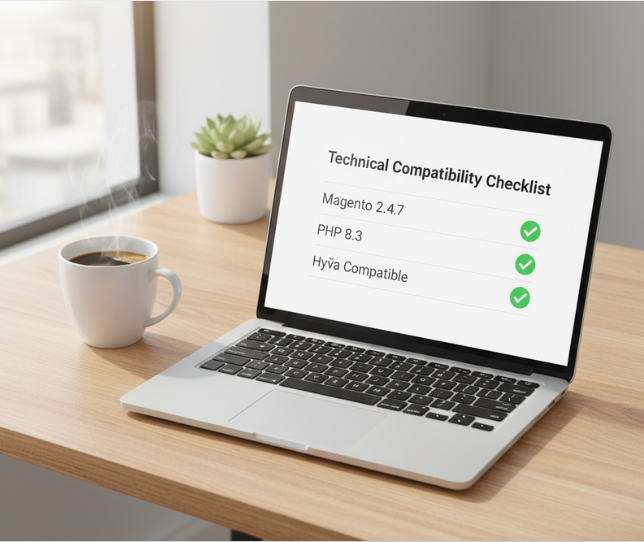
It is not enough for an extension to claim it supports “Magento 2.” You must verify if it supports your specific version (e.g., 2.4.7).
Magento Open Source vs. Adobe Commerce: Some extensions use features exclusive to Adobe Commerce (like Staging or B2B modules). Ensure the extension is built for your specific edition.
Version specifics: Check if the extension supports the latest PHP versions required by newer Magento releases.
Backward/forward compatibility: Ask the vendor if the extension is likely to work with the next minor Magento release.
Theme and frontend compatibility
Magento’s frontend has evolved significantly.
Luma vs. Hyvä vs. PWA: If you use the Hyvä theme, standard Luma-based extensions will not work out of the box; they require a “compatibility module.” Similarly, Headless/PWA setups require GraphQL or REST API support within the extension.
JS behavior: Ensure the extension doesn’t rely on outdated libraries like Prototype.js or create conflicts with RequireJS configurations.
Responsive design: Verify that any frontend elements added by the extension are truly mobile-first and do not break your layout on smaller screens.
PHP, database and server requirements
Check the technical requirements documentation.
PHP versions: Does it support PHP 8.1, 8.2, or 8.3?
Database: Does it require specific MySQL versions or MariaDB?
Server dependencies: Some extensions require specific server-side tools like IonCube Loader or specific Linux libraries.
Performance and seo impact checklist
Every millisecond counts. An extension that adds functionality but slows down the site is a net negative for your business.
Page speed and core web vitals impact
Frontend assets: Check if the extension loads large CSS or JS files on every page, even where it is not used.
Core web vitals: Will it affect Largest Contentful Paint (LCP) by adding heavy images or Interaction to Next Paint (INP) by blocking the main thread with heavy JavaScript?
Execution: Prefer extensions that execute logic server-side and use lightweight, asynchronous JavaScript on the client side.
SEO compatibility
Metadata and canonical tags: Ensure the extension does not overwrite your existing SEO settings or create duplicate URLs.
Crawlability: If the extension adds content (like reviews or tabs), verify that the content is visible to search engine bots and not hidden behind “client-side only” renders.
Sitemap integration: Does it add its custom pages to the Magento XML sitemap?
Caching and indexing behavior
Full page cache (FPC): A common mistake in Magento development is breaking FPC. Ensure the extension uses “private content” (customer-data JS) for personalized elements rather than disabling caching for the whole page.
Varnish and Redis: The extension should be compatible with Varnish. Check if it uses “cache holes” or ESI blocks correctly.
Reindexing: Does the extension trigger a full reindex every time a change is made? This can lock database tables and slow down the admin panel.
Code quality and security checklist
You are essentially inviting a stranger’s code into your “house.” You need to be sure they follow the rules.
Code structure and best practices
Magento coding standards: Professional vendors use tools like PHP_CodeSniffer to ensure their code meets Magento’s official standards.
Dependency injection: The extension should use constructor injection, not the ObjectManager directly (which is a major red flag in Magento 2).
Plugins vs. overrides: High-quality extensions use “Plugins” (Interceptors) to modify behavior. Avoid extensions that use “Preferences” to override core classes, as these are much more likely to cause conflicts with other modules.
Security considerations
Data sanitization: All user inputs must be validated and sanitized to prevent SQL injection or XSS attacks.
Admin permissions: Does the extension allow you to limit which admin users can access its settings via ACL (Access Control List)?
Known vulnerabilities: Search for the extension name in security databases or CVE registries.
Performance-safe architecture
Observers: Excessive use of observers can slow down every action in the store. Check if the extension uses them sparingly.
Cron jobs: Verify if the extension adds heavy cron jobs that might overlap and cause server strain.
Database efficiency: Does it use optimized SQL queries, or does it load massive collections in a loop?
Vendor reliability and support checklist
The vendor is as important as the code itself. When searching for reliable Magento 2 modules, always evaluate the developer’s track record.
Vendor reputation
Marketplace ratings: Look at the Adobe Commerce Marketplace. Are the reviews verified?
Vendor specialization: Does the vendor specialize in Magento, or do they make generic plugins for every platform?
Longevity and update history: A vendor that has been around for 10 years is more likely to provide long-term updates than a solo developer who released their first module last month.
Update and maintenance policy
Frequency: Check the changelog. If the last update was two years ago, the extension is likely abandoned.
Compatibility updates: How fast do they release updates after a new Magento version comes out?
Changelog clarity: Are the updates meaningful bug fixes, or just “minor improvements”?
Support quality
Support channels: Do they offer a ticketing system, live chat, or email?
Response time: Test their support by asking a technical question before buying. A slow pre-sales response usually indicates slow post-sales support.
Documentation quality: Is there a comprehensive user guide and installation guide? Poor documentation is a sign of a rushed product.
Extension conflicts and scalability checklist
Your store is a growing organism; the extension must scale with your traffic and database size.
Module intersections: Conflict occurs when two modules try to override the same core method (Preference). Ask if the vendor maintains a compatibility list for popular checkout or SEO modules. This check helps prevent Magento extension conflicts that could break critical store functions.
Database integrity: Check if the module creates its own schema or modifies core tables (sales_order, quote). Modifications to core tables are high-risk for future upgrades.
Clean uninstallation: A professional module includes a db_schema.xml or uninstall script. It should remove all custom attributes and tables without leaving “orphan data” that slows down your database after the module is gone.
Data volume handling: Ensure the module doesn’t use “EAV attributes” excessively for high-volume data, which can tank query performance as your product catalog grows.
Licensing, pricing and total cost checklist
The “Buy Now” price is rarely the total cost of ownership (TCO).
Fee structure: Distinguish between one-time fees and recurring subscriptions. Be wary of SaaS-based pricing that scales with your order volume or revenue, as this becomes a “success tax.”
Environment flexibility: Verify if the license allows installation on local, development, and staging environments (mirrors) without requiring extra keys.
Support & updates: Most vendors offer 6–12 months of free updates. Check the renewal cost for year two; without updates, your extension becomes a security risk during the next Magento core upgrade.
Internal labor costs: Budget for 4–8 hours of developer time for even “simple” modules to handle installation, CSS styling, and conflict resolution.
Testing and validation before purchase
Never install an extension directly on a production site. Implementation should follow a strict workflow. Learning how to test Magento extensions safely protects your live store from unexpected crashes.:
Sandbox verification: Use the vendor’s demo to verify the backend UI. If the admin panel is sluggish there, it will be worse on your live site.
Staging mirror: Install the module on a staging environment that is an exact clone of your production data. This reveals conflicts with your specific customizations.
Critical path testing: Execute a “smoke test” on essential functions:
Does “Add to Cart” still work?
Do custom shipping/payment methods still appear?
Are transaction emails being triggered?
Log monitoring: After installation, check var/log/exception.log and system.log. A “working” extension that floods your logs with warnings will eventually crash your server under load.
Quick Magento extension pre-buy checklist
Use this summary as your final Magento extension checklist before buying:
Compatibility checklist:
Matches Magento version (e.g., 2.4.x).
Supports your theme (Luma/Hyvä/PWA).
Compatible with PHP 8.x.
Performance & SEO checklist:
Does not block FPC/Varnish.
Adds minimal JS/CSS overhead.
Validates Core Web Vitals impact.
Security & code quality checklist:
Follows Magento coding standards.
No direct ObjectManager usage.
Uses Plugins (Interceptors) over Preferences.
Vendor & support checklist:
High rating on Adobe Marketplace.
Regular update history in the changelog.
Documentation is clear and technical.
Cost & licensing checklist:
Includes staging/dev licenses.
Transparent renewal costs.
30-day refund policy available.
Common mistakes when buying Magento extensions
Many merchants fall into the trap of “feature blindness.” They see a module that promises to solve five problems at once and buy it without looking at the technical debt it creates.
Choosing based on features only: A “feature-rich” extension often contains bloated code that slows down your store.
Ignoring performance and SEO impact: Many “Product Label” or “Countdown Timer” extensions use methods that cause layout shift (CLS), hurting your Google rankings.
Overlooking long-term maintenance: If you buy a “cheap” extension from an unknown developer, you might find yourself unable to upgrade Magento next year.
Installing overlapping or redundant extensions: Frequently, merchants buy an extension for a feature that already exists in Magento core.
Conclusion
A checklist-first approach to Magento extensions is not about being cynical; it is about being professional. By spending 30 minutes verifying a vendor and their code architecture today, you save dozens of hours of troubleshooting and thousands of dollars in lost sales tomorrow.
Smart extension evaluation supports long-term growth by keeping your codebase clean, your performance high, and your security tight. Remember, every extension should earn its place on your server. If a vendor cannot provide clear documentation, a solid update history, or proof of performance optimization, it is best to keep looking. Your Magento store is the heart of your business—protect it with a rigorous pre-purchase standard.